Users running the newly released macOS Tahoe are encountering a critical failure with Apple's Time Machine feature when backing up to established SMB network targets, according to reports circulating across developer communities.
This issue manifests as a silent failure, where backups simply cease without generating user-facing error messages or notifications, leading users to discover corrupted or outdated archives only when attempting a restoration, as detailed by one affected user on Tao of Mac.
The root cause appears to be Apple's unilateral adjustment of default SMB settings, specifically moving toward stricter security requirements, such as mandating protocol signing that older or differently configured NAS devices cannot meet out of the box.
To circumvent this immediate breakage, affected users must manually edit the nsmb.conf file on the Mac, adding directives like signingrequired=yes and protocolversmap=6 to force compatibility with existing NAS configurations.
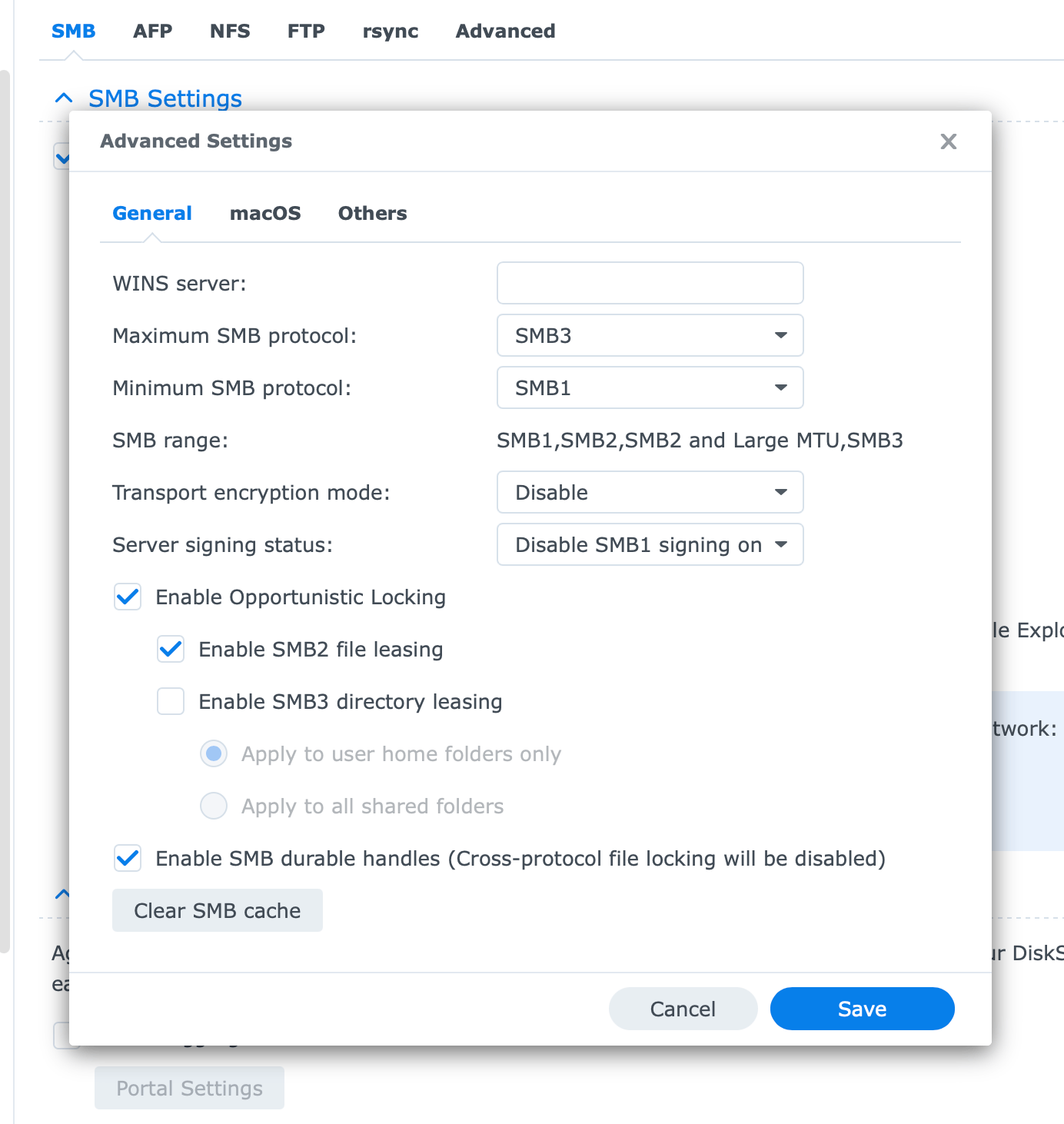
Conversely, adjustments on the Synology side involve modifying SMB advanced settings, though the exact options vary slightly depending on the specific DiskStation Manager version running on the hardware.
Frustrated by the recurring nature of these dependency breaks, some users are reportedly pivoting away from native NAS SMB integration toward containerized solutions, such as deploying the mbentley/timemachine Docker image on dedicated infrastructure like Proxmox servers.
This ongoing friction highlights a persistent challenge in the Apple ecosystem where critical infrastructure components like Time Machine rely on nuanced network protocols, and opaque updates introduce significant operational risk for users relying on heterogeneous hardware setups.
Beyond the backup failures, some users noted that minor, persistent bugs within the broader macOS experience, such as issues during iOS device restoration, continue to plague the operating system release, suggesting deeper quality assurance gaps.